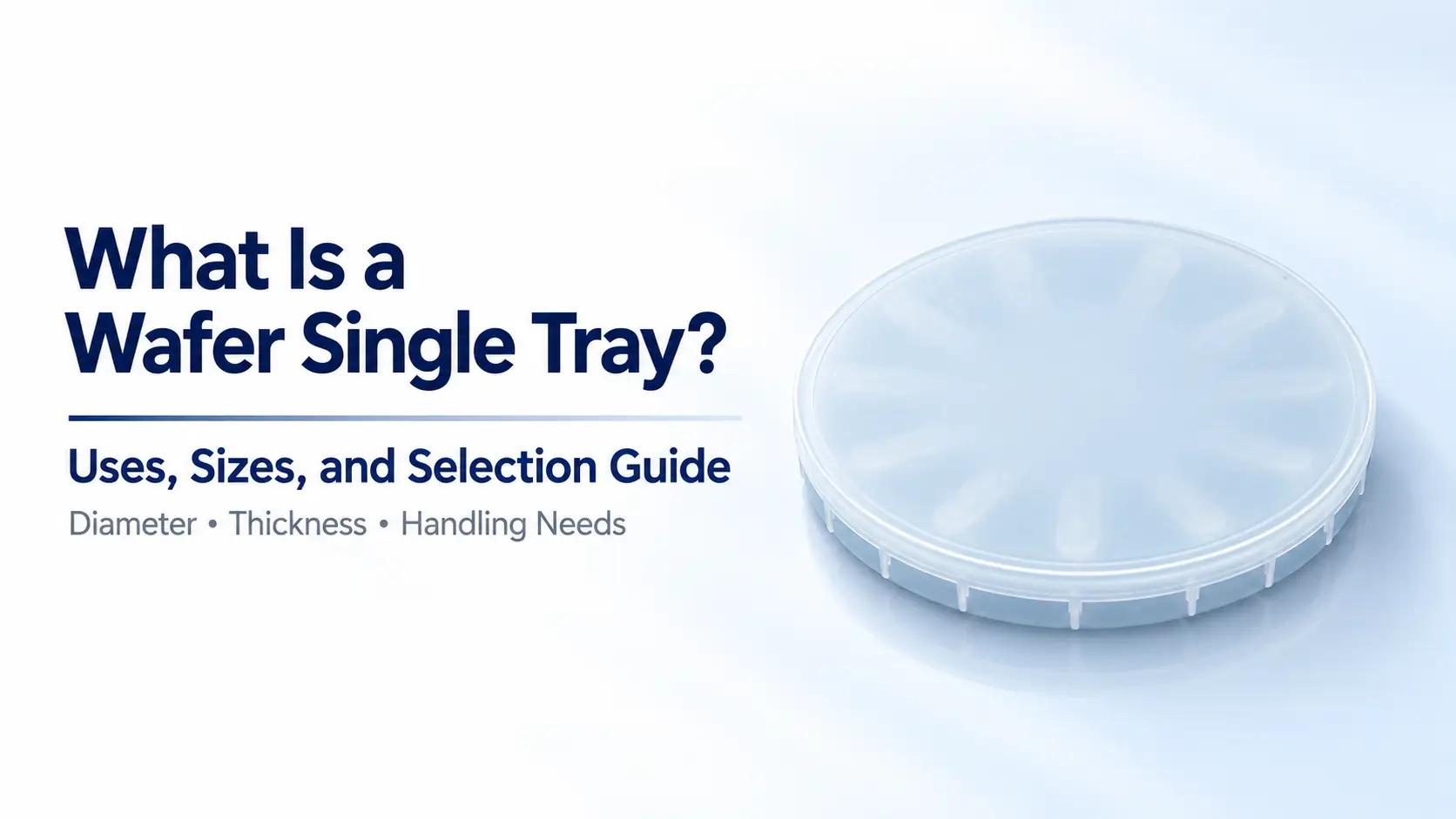
What Is a Wafer Single Tray? Uses, Sizes, and Selection Guide
A wafer single tray holds one wafer individually for storage, handling, or delivery. This guide focuses on YJ COREVIA’s enclosed TJF-O series. Selecting a suitable model requires checking wafer diameter, thickness, support locations, and access for handling tools.
The following sections cover product specifications, selection criteria, and sample evaluation. Suppliers may also use names such as wafer single box or single wafer shipping box. Similar names do not guarantee the same construction, so check the product specifications and intended payload before ordering.
Common Uses of a Wafer Single Tray
1. Sample Storage and Delivery
Individual trays allow research samples, test wafers, and customer samples to be stored separately. Each enclosure can be associated with a sample ID, batch record, or delivery document.
For example, wafers from different test conditions may need to go to different laboratories. Separate packaging helps keep each wafer associated with the correct information. Labels should remain consistent when samples are removed or repacked.
If a wafer has coatings, surface structures, or restricted contact areas, confirm where the tray supports it before selecting a model.
2. Internal Handling and External Shipping
A single wafer tray can support movement between work areas. External shipping requires a separate assessment of the outer carton, cushioning, and package restraint.
A wafer fitting inside the tray does not establish shipping suitability. Internal movement and the complete packaging arrangement also matter. Packaging used for short transfers within a facility should be reviewed before it is used for courier delivery.
3, Individual Delivery and Retained Samples
Single trays are useful when wafers must be delivered individually or retained for later inspection. Consider how easily operators can open the enclosure, retrieve the wafer, and return it to storage.
Long-term storage requires additional checks on the environment and packaging. An enclosed tray should not be assumed to provide an airtight seal, moisture protection, or a specified level of contamination control.
When to Choose a Wafer Single Tray or a Multi-Wafer Carrier
Start with how the wafers will be handled: individually or as a batch.
Individual sample delivery and separate sample identification are reasons to consider a single tray. When several wafers need to be handled together, a cassette or another multi-wafer carrier may be more appropriate. Capacity, wafer separation, retrieval method, and equipment requirements should guide that choice.
| Handling Requirement | Carrier to Evaluate | Key Checks |
|---|---|---|
| Individual sample delivery | Wafer single tray | Wafer restraint, identification, and delivery packaging |
| Handling several wafers together | Multi-wafer carrier | Capacity, separation or slot design, and retrieval method |
| Equipment loading | Equipment-specified or compatible carrier | Positioning, interface, access, and equipment specifications |
| Individual handling of a frame-mounted wafer | Wafer frame shipper | Frame dimensions, support locations, and tape clearance |
Wafer single trays can also create more packaging and labeling work when many samples are delivered together. Review the number of enclosures, identification process, and outer packaging before deciding how to organize a batch.
Wafer Single Tray vs. Wafer Frame Shipper
The main difference is the payload.
The TJF-O series discussed here is intended for individual wafers. A wafer frame shipper accommodates a wafer mounted on a frame, so its selection depends on the frame’s external dimensions and shape.
Two products labeled for the same wafer size are not necessarily interchangeable.
| Selection Point | Wafer Single Tray | Wafer Frame Shipper |
|---|---|---|
| Payload | One wafer; compatibility depends on its thickness, surface features, and the tray design | A wafer mounted on a frame |
| Dimensions to check | Wafer diameter, thickness, and usable internal space | Frame shape, external dimensions, and total assembly thickness |
| Support considerations | Wafer contact locations and handling access | Frame support and clearance for the wafer and tape |
| Related YJ COREVIA series | TJF-O series | TJF-S series |
When requesting a quotation, state whether the wafer is frame-mounted. A frame drawing or dimensioned photograph is more useful than wafer diameter alone.
YJ COREVIA Wafer Single Tray Sizes and Materials
YJ COREVIA’s TJF-O series includes models for 2, 4, 6, 8, and 12-inch wafers. Use wafer size to identify a candidate model, then check support and handling compatibility.
The specifications below are compiled from the official product pages. Listed product dimensions do not establish usable internal clearance or acceptable wafer thickness. Confirm those details against the actual wafer and tray design.
| Nominal Wafer Size | Model | Material | Listed Product Dimensions |
|---|---|---|---|
| 2 inch | TJF-O2 | PP | Ø60.29 × 13.7(H) mm |
| 4 inch | TJF-O4 | PP | Ø112.2 × 16.95(H) mm |
| 6 inch | TJF-O6 | PP | Ø164 × 21(H) mm |
| 8 inch | TJF-O8 | PC | 212(L) × 212(W) × 11.6(H) mm |
| 12 inch | TJF-O12 | PC | 348(L) × 338(W) × 50(H) mm |
PP means polypropylene; PC means polycarbonate. In the dimension notation, Ø indicates diameter, while L, W, and H indicate length, width, and height.
How to Use the Specifications Table
Match the nominal wafer size first. Then provide the actual wafer thickness, condition, and contact restrictions to confirm whether the candidate model is suitable.
Listed product dimensions can help with storage layouts and outer packaging. They should not be used to calculate wafer clearance inside the tray.
For an 8-inch wafer, for example, TJF-O8 is a starting point for evaluation. Its internal support and access still need to suit the specific wafer. If that wafer is mounted on a frame, selection should instead begin with the frame dimensions and support requirements.
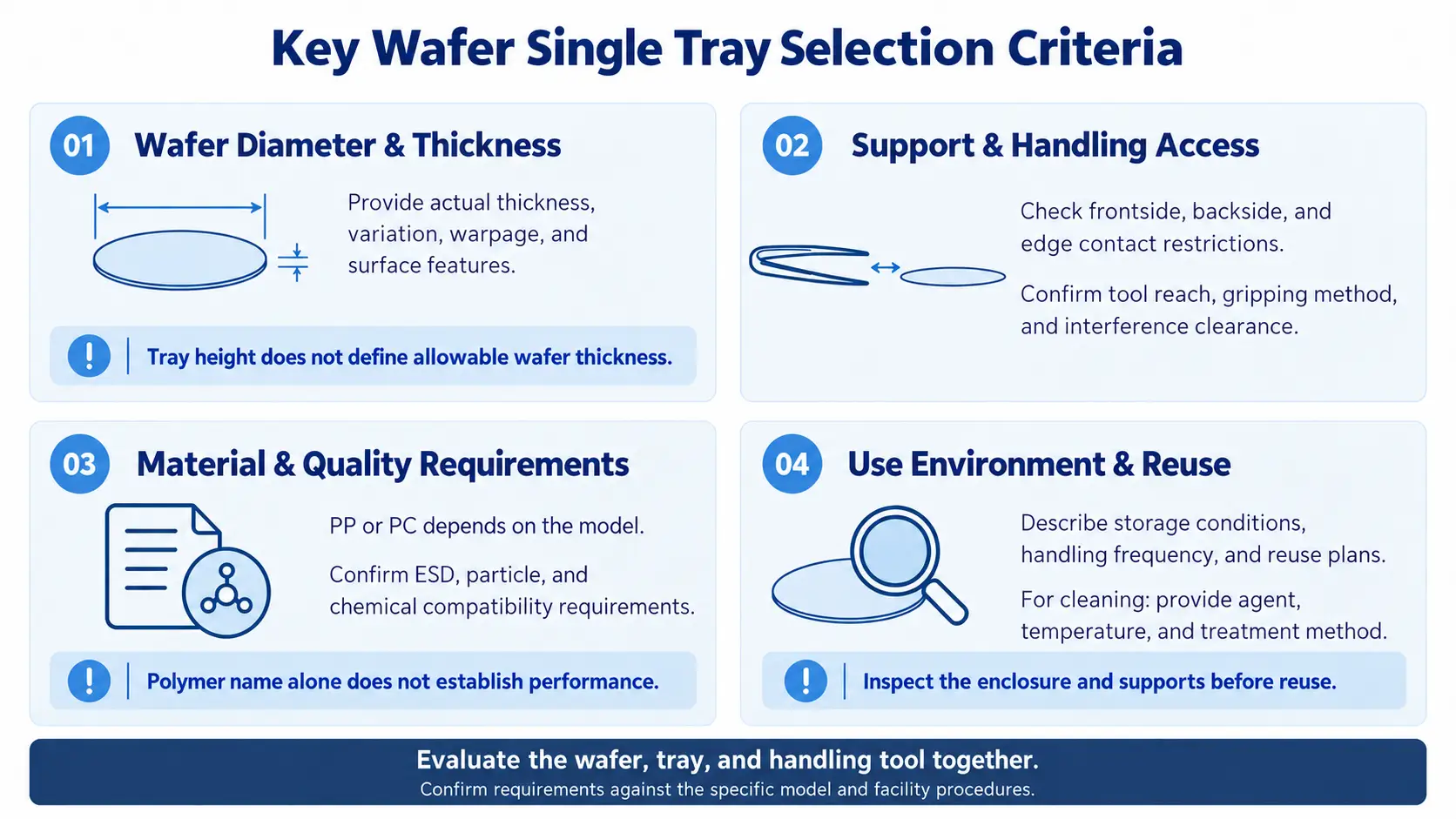
Key Wafer Single Tray Selection Criteria
1. Wafer Diameter and Thickness
Wafers with the same diameter may have different handling requirements because of thinning, warpage, bonding, or added structures.
Product height is not the same as allowable wafer thickness. Provide the actual thickness and any relevant variation or surface features when requesting a recommendation.
2. Support Locations and Handling Access
Evaluate the wafer, tray support, and handling tool together.
First, identify which tray surfaces contact the wafer. Check those locations against restrictions on frontside, backside, and edge contact. Then confirm that the handling tool can reach the wafer without interference from the enclosure or support features.
For wafer tweezers, specify the gripping method and required access. A tray may accommodate the wafer while still leaving insufficient room for the intended tool.
3. Material and Quality Requirements
The TJF-O series uses PP or PC, depending on the model. A polymer name alone does not establish electrostatic discharge (ESD) performance, cleanliness, or chemical compatibility.
If procurement specifications include ESD limits, particle requirements, or cleaning conditions, provide the required criteria and request the relevant product information.
ESD specifications for another PC product should not be applied to a PC single wafer tray without confirmation.
4. Use Environment and Reuse
Short-term delivery, long-term storage, and repeated handling may require different evaluations.
Describe the storage environment, handling frequency, and whether the tray will be cleaned and reused. For an existing cleaning process, provide the cleaning agent, temperature, and treatment method for compatibility review.
Before reuse, inspect the enclosure and support features according to the facility’s procedures.
A Practical Selection Sequence
Organize the requirements in this order:
- Payload: individual wafer or frame-mounted wafer.
- Wafer specifications: diameter, thickness, warpage, and added structures.
- Support and access: contact restrictions, tool clearance, and lid clearance.
- Use conditions: storage, handling, cleaning, and quality requirements.
- Procurement and delivery: quantity, lead time, sample evaluation, and outer packaging.
Use the same checks when replacing an existing enclosure. Similar external dimensions do not guarantee the same internal support or retrieval method.
What to Check During Sample Evaluation
Evaluate a sample using the intended handling procedure. Where appropriate, begin with a suitable test wafer under facility procedures before defining further qualification work.
| Evaluation Item | What to Check |
|---|---|
| Loading and retrieval | Whether the tool can operate without contacting restricted wafer areas |
| Support locations | Whether contact points meet frontside, backside, and edge restrictions |
| Lid closure | Whether closure interferes with the wafer or added structures |
| Internal movement | Whether noticeable movement requires further review of wafer restraint |
| Identification and storage | Whether labeling, storage, and delivery fit the sample management process |
| Outer packaging | Whether the enclosure fits the planned carton, cushioning, and restraint arrangement |
These checks assess initial suitability. They do not replace shipping, ESD, or cleanliness qualification. If procurement specifications require particular test methods and acceptance criteria, address those separately.
Contact YJ COREVIA for Product Selection and Procurement
For volume purchasing, sample delivery packaging, or replacement of an existing single wafer enclosure, contact YJ COREVIA.
Provide the wafer diameter, thickness, condition, application, and required quantity. Drawings or photographs showing contact restrictions can help with discussions about model suitability, pricing, and lead time.
For replacement projects, include the current enclosure details and any handling issues to address, such as limited tool access or outer packaging constraints. Custom dimensions are subject to feasibility review. Include any sample evaluation needs in the inquiry.
Conclusion
Selecting a wafer single tray starts with the payload, followed by wafer specifications, support locations, handling access, and use conditions. A product table helps narrow the model choice; sample evaluation helps determine whether it fits the actual workflow.
For procurement, provide thickness, contact restrictions, application, and quantity alongside wafer size. These details help the supplier recommend a model and identify what needs to be checked during sample evaluation.
For model-specific specifications, see the 6-inch Wafer Single Tray TJF-O6, 8-inch Wafer Single Tray TJF-O8, and 12-inch Wafer Single Tray TJF-O12.
Frequently Asked Questions
1. Is a Wafer Single Tray the Same as a Wafer Single Box?
Suppliers may use both terms for individual wafer carriers, but the names do not guarantee identical construction. This guide covers YJ COREVIA’s TJF-O series. Check the drawings and specifications of the actual product being considered.
2. Can a 12-Inch Wafer Single Tray Replace a FOUP?
It is not a direct replacement. Capacity, wafer support, and equipment interfaces differ. For equipment loading, select the carrier according to the equipment requirements rather than wafer diameter alone.
3. Are All Wafer Single Trays Anti-Static?
PP or PC material identification alone does not establish anti-static performance. If ESD control is required, confirm the specification or relevant test information for the selected model.
4. Can a Loaded Tray Be Handed Directly to a Courier?
Review wafer restraint and the complete outer packaging first. A wafer fitting inside the tray does not establish that the package is suitable for courier transport.